IMPARGO Knowledge Center

Unleash the full potential of our software with our comprehensive Knowledge Center, offering detailed information on its functionality and features.

  • PLANNER: Truck, Toll & Tour Calculation
  • ORDERS: Order Management
  • ORDERS: Offer Management
  • FLEET: Execute With The DriverApp
  • DISPATCH: The Dispatch Board for Trucks
  • DRIVERAPP: Order Execution & Truck Navigation for Drivers
  • Managing Master Data
  • Analytics
  • Help Center
  • Integrations

Introduction to The DriverApp

1. Get Started with the IMPARGO DriverApp

The IMPARGO DriverApp is a powerful truck navigation app for truck drivers, available on both Android and iOS. It supports drivers in managing upcoming orders, communicating with dispatchers, and navigating routes safely and efficiently using truck-specific navigation.

With the DriverApp, drivers can:

  • Receive and manage their assigned orders
  • Communicate directly with the dispatcher
  • Navigate using built-in truck routing optimized by IMPARGO


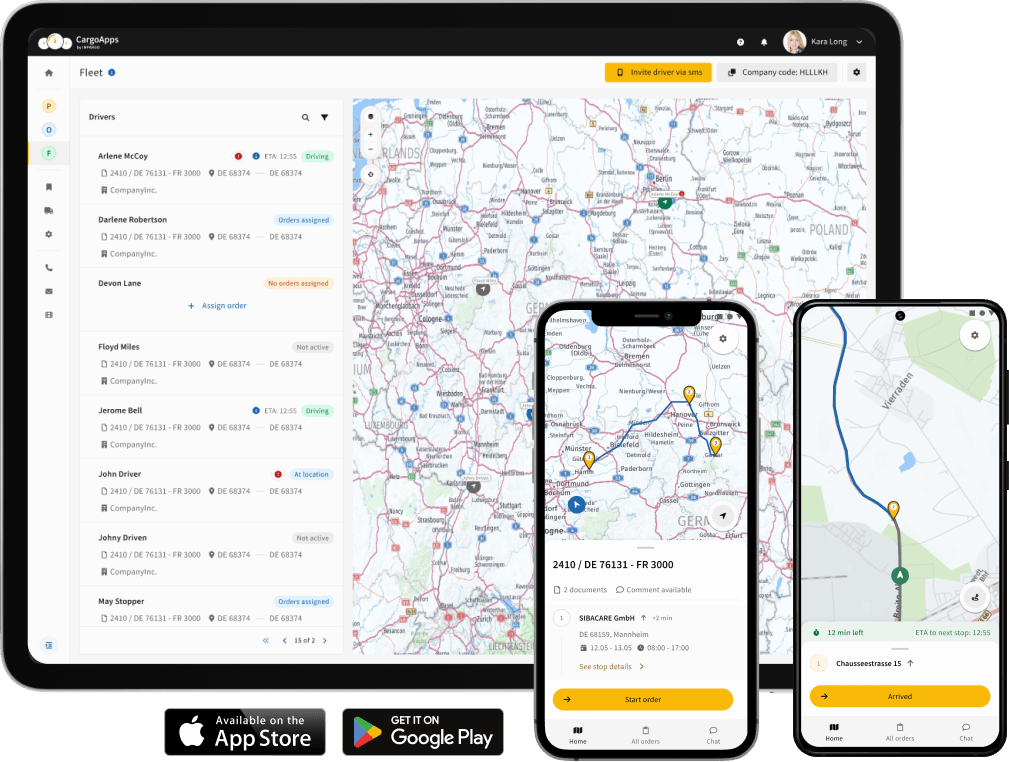
Mobile app for truck drivers with Fleet Telematics system and GPS tracker


2. DriverApp Home Screen

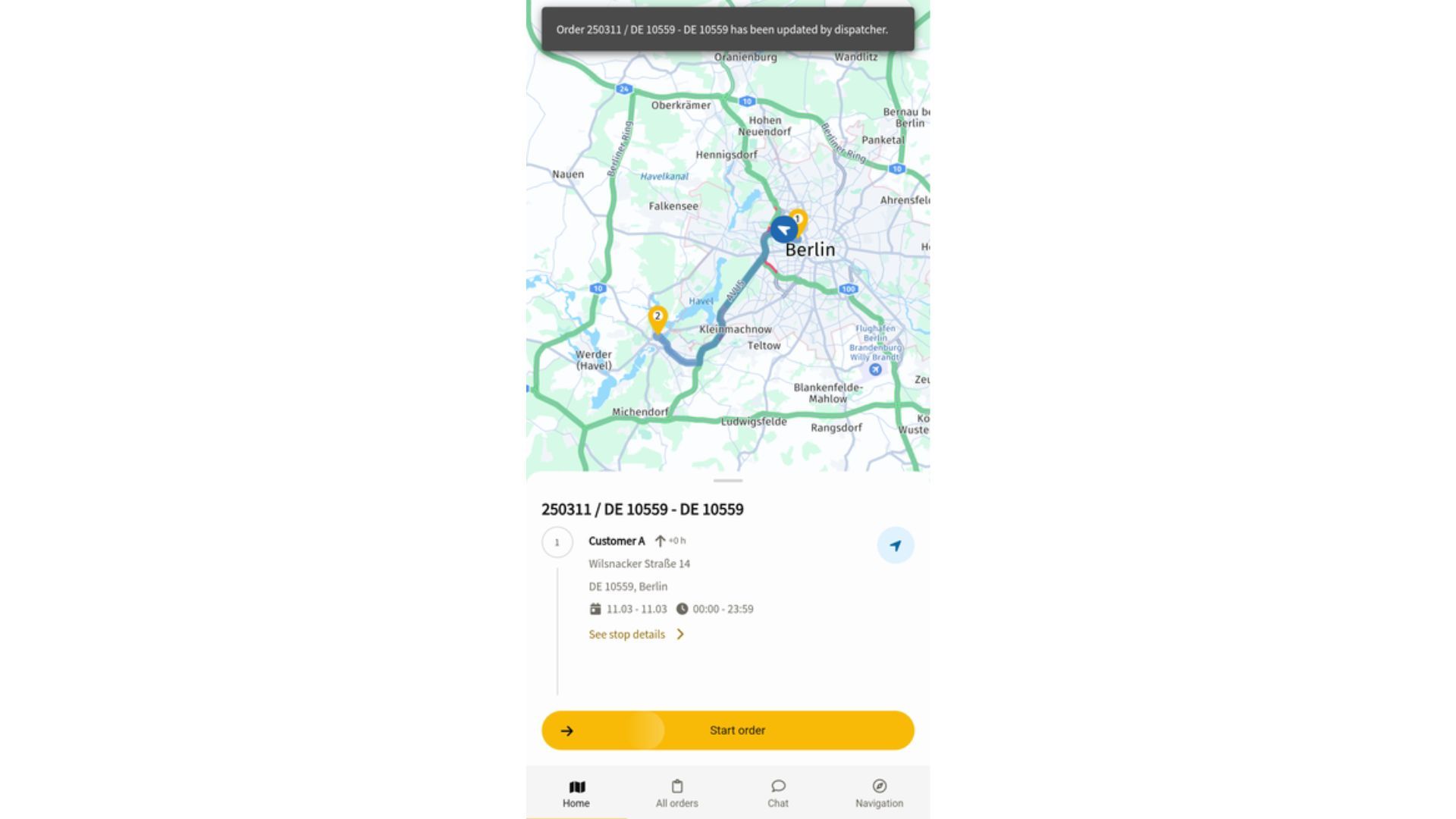
IMPARGO DriverApp Home Screen showing the active order and planned route on the map


The Home Screen displays the current active order and the planned route on the map. From here, you can also access order processing actions and navigation.


3. Transport Orders View

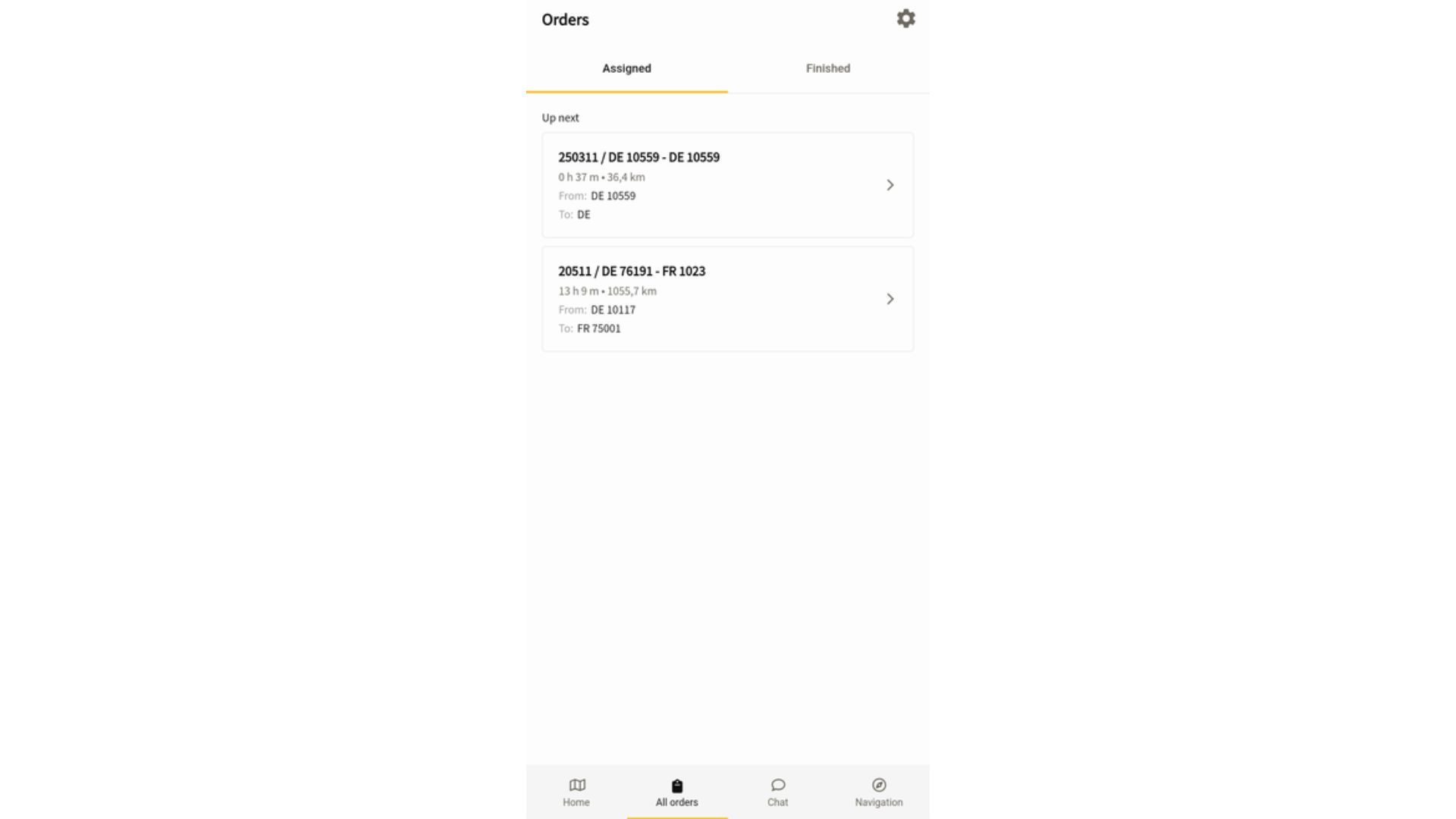
List of assigned, upcoming, and completed transport orders in the IMPARGO DriverApp


View a list of all assigned, upcoming, and completed transport orders. Tap into each order for more details such as delivery locations and time windows.


4. Online Chat with Dispatcher

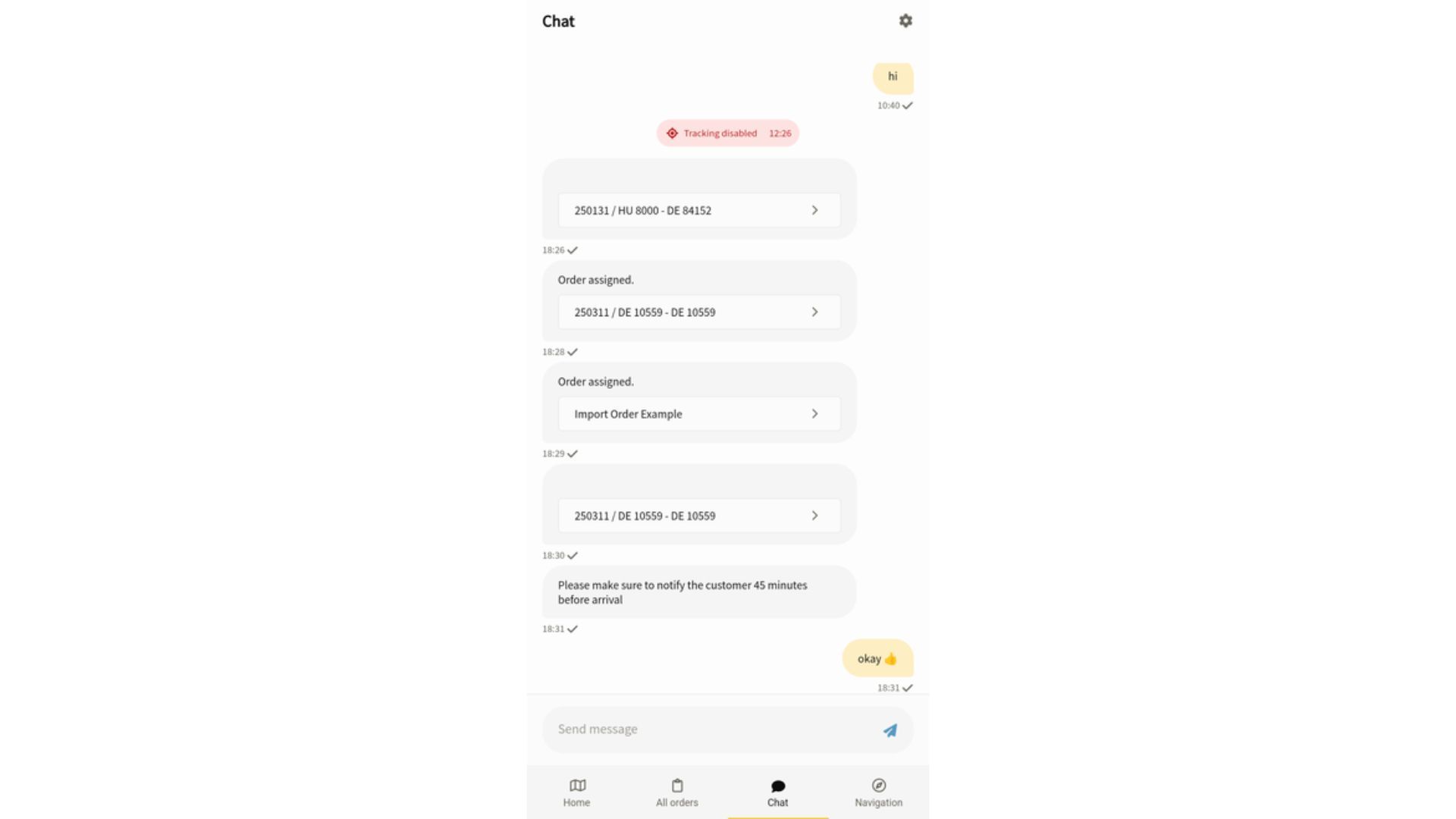
In-app chat between a truck driver and dispatcher in the IMPARGO DriverApp


Use the built-in chat feature to communicate directly with your dispatcher. You'll receive updates and can respond in real time.


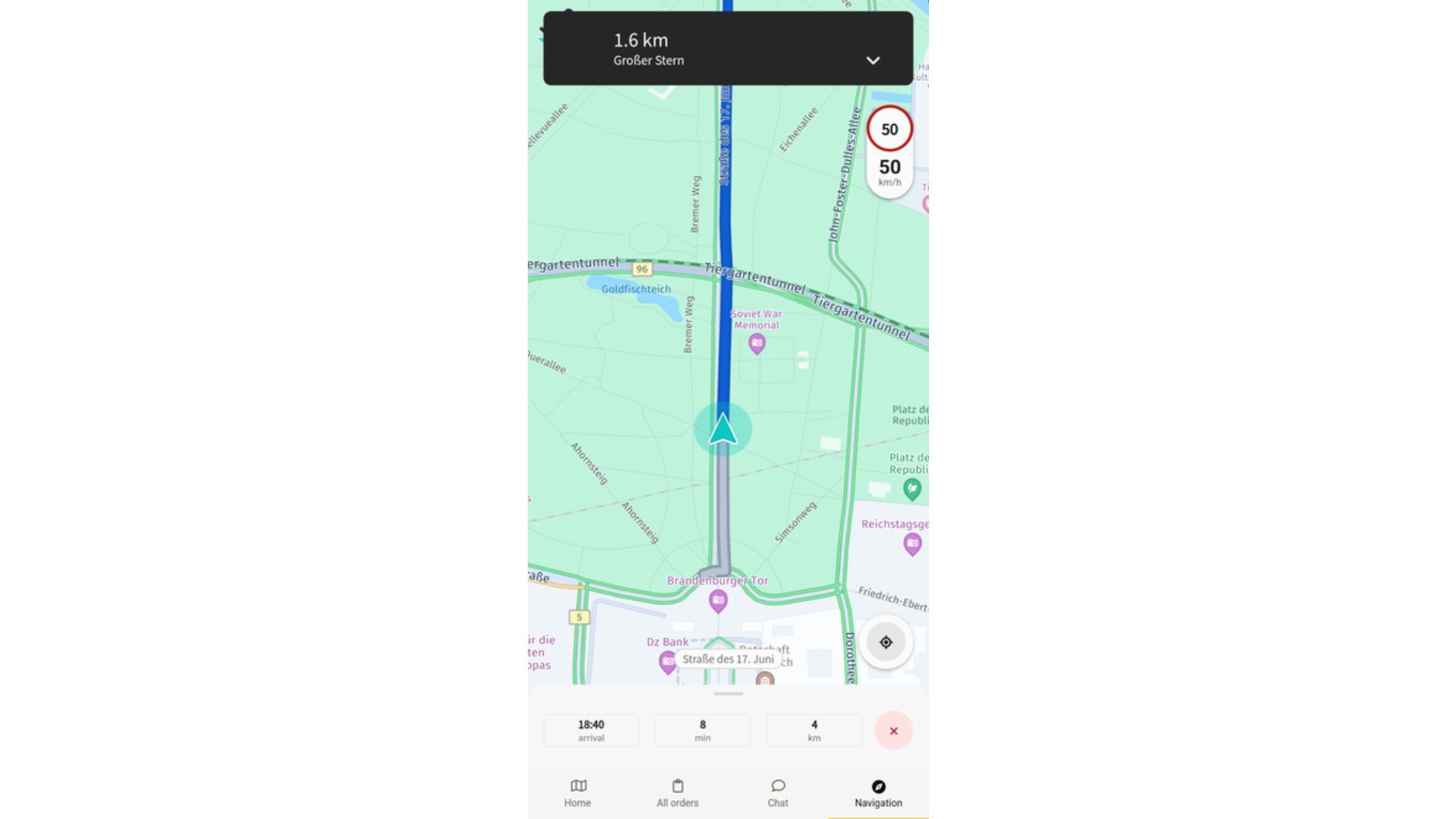
5. Truck Navigation System

Truck navigation screen showing the planned route in the IMPARGO DriverApp


Navigate safely with truck-optimized routing. The navigation system follows routes predefined by the dispatcher and can also guide you to individual stops.

You can also search for and drive to any nearby address or point of interest, such as a fuel station, truck parking, a restaurant, an ATM, or a coffee stop. This does not change your assigned order, and you stay within truck-safe navigation the whole time. [Read: Navigate with The DriverApp]


DISPATCH: The Dispatch Board for Trucks

For Driver: Setup The DriverApp


Impargo-logo

Digitalize your transport business overnight.

© IMPARGO 2026, All rights reserved.