This article explains how you can control who can see files uploaded to an order. You’ll learn how document visibility works, who documents can be shared with, and how uploads from partners, drivers, and customers are handled.
IMPARGO Knowledge Center
Unleash the full potential of our software with our comprehensive Knowledge Center, offering detailed information on its functionality and features.
Manage Document Visibility and Sharing
1. Overview
The Document Visibility and Sharing feature lets you control who can see the files you upload to an order.
You can keep documents internal (visible only to your company) or share them with partners, drivers, and customers when needed. This helps protect sensitive information such as prices or order agreements while keeping everyone involved in the transport process informed and up to date.
Key Benefits
- Keep confidential documents internal.
- Share only what’s needed with partners or drivers.
- Avoid using extra tools for document exchange.
- Ensure consistent and secure communication across the transport chain.
2. Where This Applies and Who It Includes
Document visibility applies to orders where documents are exchanged between your company and other parties. Depending on the order setup, the following groups can be involved.
- Partners: Order-connected subcontractors or carrier partners that are logged in CA.
- External links: Shared links for partners who are not logged in (unauthenticated partners).
- Customers: Connected shippers to the carrier (the carrier’s customers).
- Drivers: Connected drivers through Fleet and the Driver App for the carrier company.
3. How It Works
Upload And Control Access
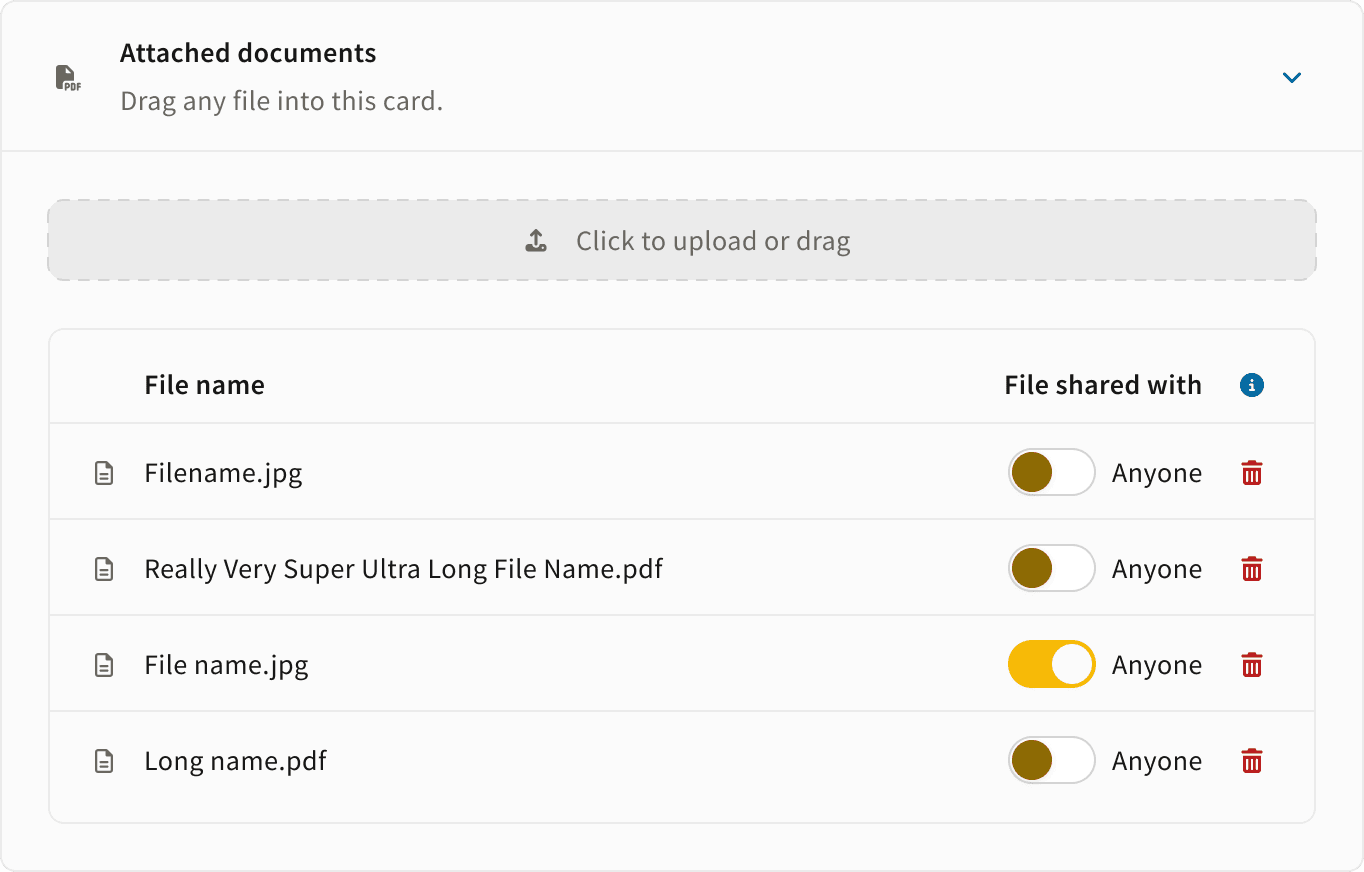
When you upload a file to an order, it’s internal by default. That means it’s visible only to users from your company (dispatchers).
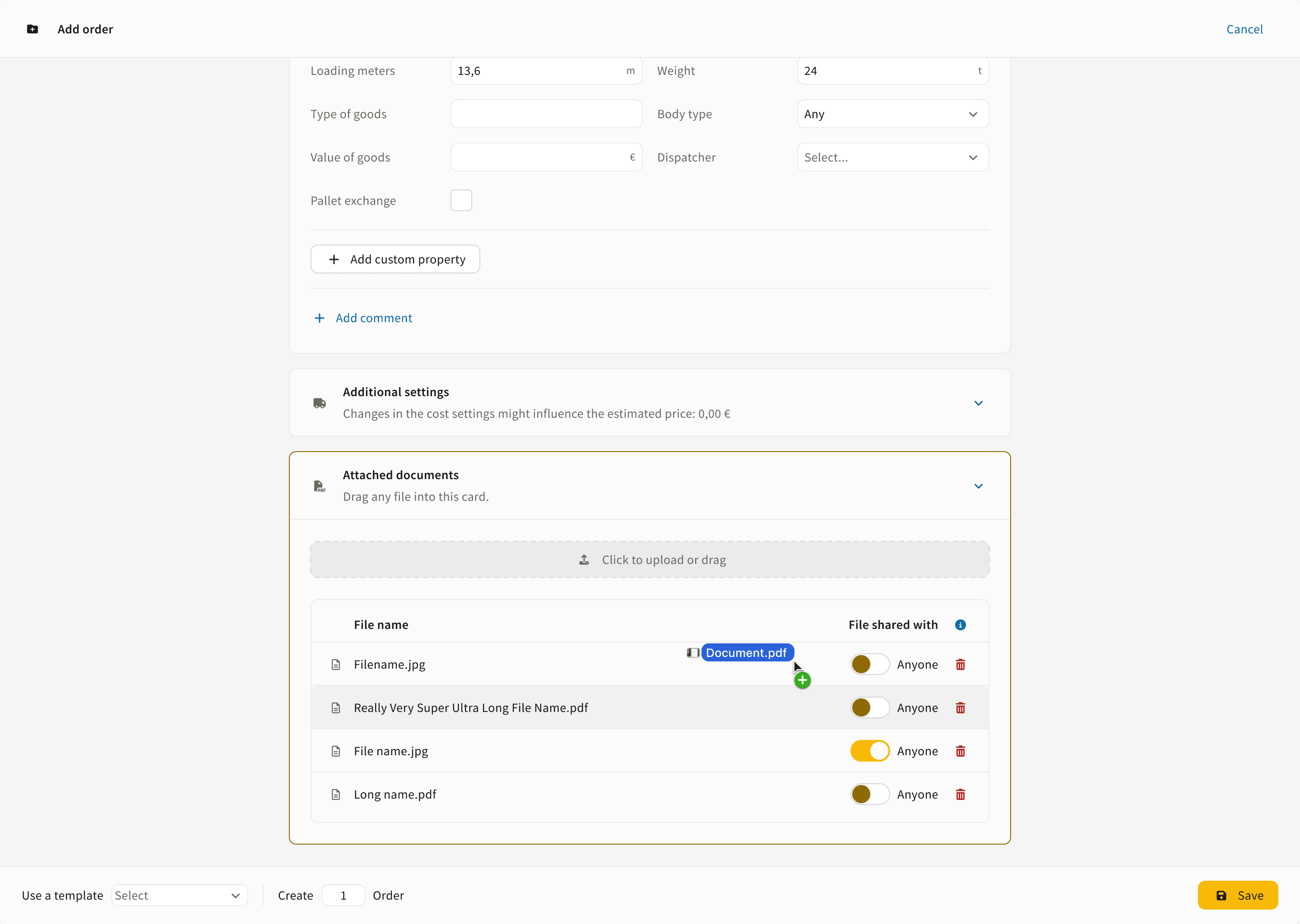
Each file has a visibility toggle called “Anyone”.
- Off (default): Visible only to your company (internal).
- On: Visible to partners, drivers, customers (shippers), and through shared links or the Driver App.
Files Uploaded By Customers, Drivers, Or External Links
If a shipper company, a driver, or an unauthenticated partner uploads a document, it’s automatically marked as internal for your company. The visibility toggle is switched off by default.
For transparency, the file is visible to your company and to the side that uploaded it.
Files Uploaded By Partners (Logged-In)
When a logged-in partner uploads a document, it’s marked as internal for the partner company by default. The file becomes visible to the carrier company only when the partner switches the visibility toggle on.
On the carrier side, the visibility toggle is switched off by default, marking the file as internal.
Files uploaded by partners (logged in), customers (shippers), and via external links (partners not logged in) appear under the Partner Files section and cannot be deleted. This ensures a complete document history for the order.
4. Changing Visibility
If you decide to share a document, you can change its visibility using the “Anyone” toggle.
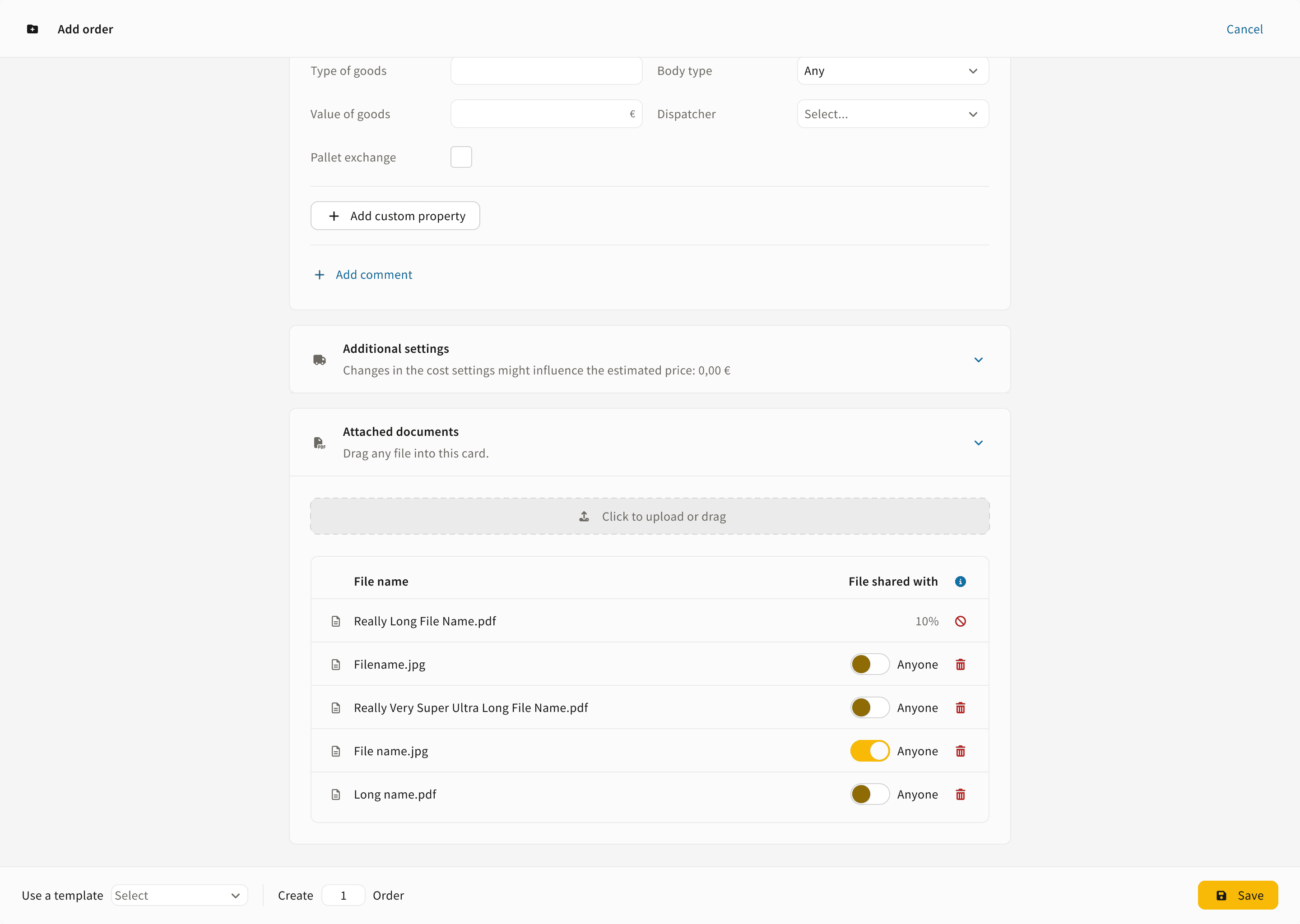
Step 1: Turn “Anyone” On.
The document becomes visible in the shared order link, in the Driver App, and to partners and customers related to the order.
Step 2: Turn “Anyone” Off.
The document will be visible only to users from your company (dispatchers).
The system automatically updates all connected views, including the Driver App and shared order links, when visibility changes.

© IMPARGO 2026, All rights reserved.