IMPARGO Knowledge Center

Unleash the full potential of our software with our comprehensive Knowledge Center, offering detailed information on its functionality and features.

  • PLANNER: Truck, Toll & Tour Calculation
  • ORDERS: Order Management
  • ORDERS: Offer Management
  • FLEET: Execute With The DriverApp
  • DISPATCH: The Dispatch Board for Trucks
  • DRIVERAPP: Order Execution & Truck Navigation for Drivers
  • Managing Master Data
  • Analytics
  • Help Center
  • Integrations

Custom Analytics: request a customized report

If the standard General KPIs, Fleet KPIs, Customers KPIs, and Partners KPIs tabs do not cover a specific reporting need, you can request a custom analytics report built by the IMPARGO team. It appears alongside your standard tabs, with no separate tool or login.

Table of Content
  1. How It Works
  2. When to Use This
  3. Notes and Limitations


1. How It Works

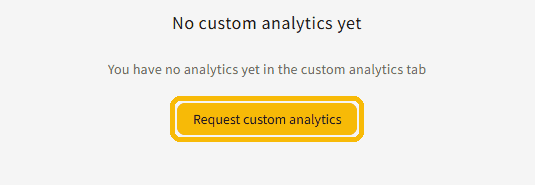
Open the Analytics module from the left navigation and select the Custom Analytics tab. Until you have a custom report, it shows "No custom analytics yet". Click Request custom analytics and the IMPARGO team is notified: someone will contact you to discuss exactly what you need. Once your report is built, it appears as an additional tab next to your standard KPI tabs, with no separate tool or login.

The quickest way to start is to open the Custom Analytics tab and click Request custom analytics; the button below takes you straight there.


Custom Analytics tab with the Request custom analytics button


2. When to Use This

Custom analytics covers a reporting need that the standard General, Fleet, Customer, and Partner KPI tabs do not. Request a custom report when:

  • You need a non-standard grouping or breakdown that the standard tabs do not offer.
  • You want to bring in an additional data source alongside your IMPARGO data.
  • You need manual input fields inside the report, for example your own targets or budget to measure against.
  • You want a pivoted or re-shaped view of data you already keep in the TMS.
  • You need a bespoke formula that the standardized KPIs do not apply.
  • You need a one-off or highly specific view that would not generalize to other customers.


3. Notes and Limitations

  • Custom reports are built and maintained internally by IMPARGO, not self-service.
  • Custom reports are the exception. They do not change or replace the standardized analytics available to everyone.


Need a report the standard tabs do not cover?
Tell us what you want to track and the IMPARGO team builds a custom analytics report for you, added right next to your standard KPI tabs.
Request custom analytics →

Partners KPIs: revenue and profit per subcontractor

Help Center


Impargo-logo

Digitalize your transport business overnight.

© IMPARGO 2026, All rights reserved.